Activate Live TV on IBO Player Pro in 7 Easy Steps
Activating IBO Player Pro has become essential for streamers seeking a lightweight yet powerful media player in 2026. This premium application supports M3U and M3U8 playlists across multiple devices, delivering 4K streaming capabilities with minimal lag. While the player offers a generous 7-day trial period, understanding proper ibo player pro activation procedures ensures you transition seamlessly to full functionality without losing access to your configured playlists and favorite channels.
Many users encounter activation failures, playlist loading errors, or payment processing issues during the ibo player pro live tv setup process. These frustrations often stem from incomplete configurations or misunderstanding the activation workflow. This comprehensive guide eliminates that confusion by walking you through each critical step, from initial download to final activation confirmation. Whether you want to install ibo player pro on Android, iOS, Fire TV Stick, or smart television platforms, these 7 straightforward steps ensure you configure everything correctly and activate successfully on your first attempt.
Understanding IBO Player Pro’s Activation Model
Before proceeding with installation, understanding how IBO Player Pro licensing works prevents confusion during activation. The application functions as a premium media player that processes user-supplied playlists rather than providing content directly. This distinction matters because activation fees cover player functionality, not content access.
Key activation facts:
- Trial Period: 7 days full functionality without payment
- Activation Cost: One-time device activation fee (varies by platform)
- Payment Methods: Google Play In-App Purchase, Apple In-App Purchase, or official website
- Device Licensing: Each device requires separate activation
- Family Sharing: Some platforms support shared purchases across family accounts
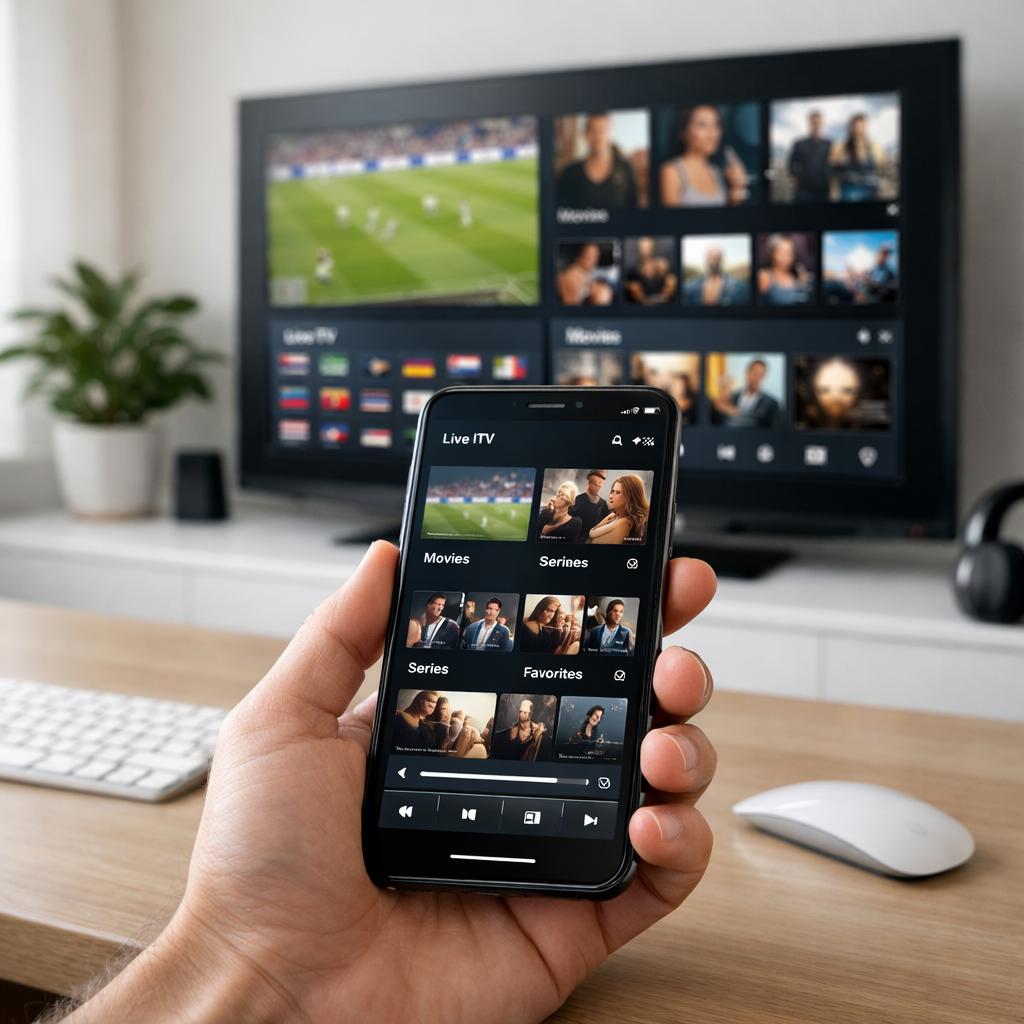
According to 2026 usage data, approximately 15,000+ users worldwide rely on IBO Player Pro for their daily streaming needs, valuing its clean interface, fast channel switching, and comprehensive format support. The application supports all major Android devices, iOS phones and tablets, Amazon Fire TV products, smart TVs from Samsung and LG, and even Windows computers via emulation.
Step 1: Download IBO Player Pro from Official Sources
Successful ibo player pro activation begins with obtaining the authentic application from trusted sources. Downloading modified or counterfeit versions creates activation problems, security vulnerabilities, and missing functionality.
Official download locations by platform:
Android Devices:
- Primary source: Google Play Store (search “IBO Player Pro”)
- Updated: January 2026 with latest stability improvements
- Package size: Approximately 15-20MB
iOS Devices:
- Apple App Store (search “IBO Pro Player”)
- Compatible with iPhone, iPad, and Apple TV
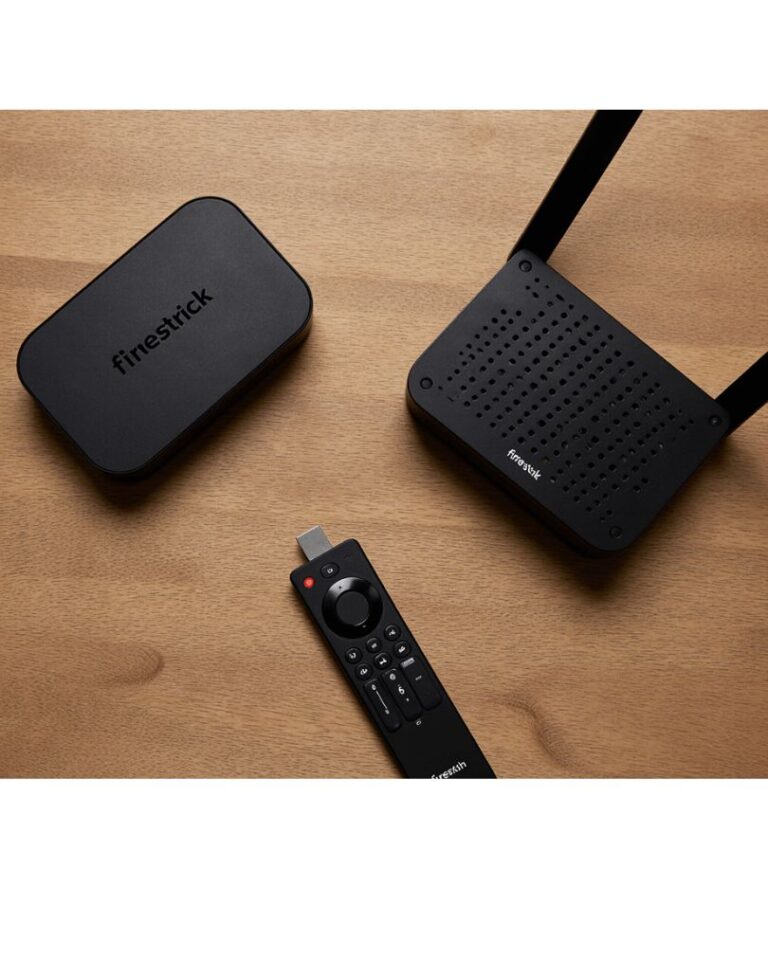
- Requires iOS 12.0 or later
Amazon Fire TV/Firestick:
- Not available in Amazon Appstore
- Sideload using Downloader app via official APK
- Download URL provided by official IBO Player website
Smart TVs:
- Samsung Smart Hub (search “IBO Player”)
- LG Content Store (search “IBO Player”)
- Direct installation without sideloading
Windows PC:
- Microsoft Store (search “Ibo Player Pro”)
- Requires Windows 10 or later
- Alternative: Android emulator (Bluestacks) method
Critical security note: Verify you are downloading from legitimate sources. The genuine IBO Player Pro application offers a 7-day trial, after which device activation is required. Third-party sites offering “cracked” or “premium unlocked” versions distribute malware-infected files that compromise device security and violate copyright.
Step 2: Install IBO Player Pro and Complete Initial Setup
Once downloaded, install ibo player pro following platform-specific procedures to prepare for activation.
Android installation procedure:
- Open downloaded APK or tap Install in Google Play Store
- Grant requested permissions:
- Network access (for streaming)
- Storage access (for playlist and EPG data)
- Media playback controls
- Wait 1-2 minutes for installation completion
- Locate app icon in device app drawer
- Launch application for first-time setup
Fire TV Stick sideloading (since not in Amazon Appstore):
- Navigate to Settings > My Fire TV > Developer Options
- Enable “Apps from Unknown Sources”
- Install Downloader app from Amazon Appstore
- Enter official IBO Player APK URL in Downloader
- Download and install when prompted
- Find IBO Player Pro in “Your Apps & Channels” section
iOS/tvOS installation:
Standard App Store procedure—tap Get, authenticate with Face ID/Touch ID/password, wait for download completion.
Smart TV installation:
- Open device app store (Samsung Smart Hub, LG Content Store)
- Search for “IBO Player”
- Select official listing
- Click Install/Download
- Wait for installation notification
- Launch from app menu
Initial launch presents a clean interface with options to add playlists. Do not add playlists yet—complete activation first for optimal experience.
Step 3: Start Your 7-Day Trial Period
IBO Player Pro provides full functionality during the trial period, allowing you to test all features before activating. Understanding trial mechanics ensures you maximize evaluation time.
Trial period features:
- Complete Access: All premium features unlocked
- No Payment Required: No credit card needed during trial
- 7 Days Duration: Begins from first app launch
- Multiple Playlists: Add unlimited M3U/M3U8 sources
- Full EPG Support: Electronic program guide functionality
- 4K Streaming: Maximum quality playback
- Parental Controls: Content restriction capabilities
Trial countdown display:
Upon launching ibo player pro, the main screen displays remaining trial days. This counter appears in settings and occasionally as a subtle notification, reminding you when activation becomes necessary.
Strategic trial usage:
Use trial days to thoroughly test:
- Playlist loading speed and reliability
- Channel switching responsiveness
- Video quality at various resolutions
- EPG accuracy and update frequency
- Favorite channel organization
- Playback stability during peak hours
Testing during trial prevents discovering limitations after activation payment. If IBO Player Pro does not meet your needs, you can uninstall before trial expiration without any charges.
Step 4: Add and Configure Your Live TV Playlist
Before activation, configure your content source to ensure ibo player pro live tv setup functions correctly post-activation. The application supports multiple playlist formats and loading methods.
Adding M3U playlist via URL:
- Open IBO Player Pro main screen
- Tap “Add Playlist” or “+” icon
- Select “Load M3U URL”
- Enter playlist URL provided by your IPTV service
- Format example:
http://example.com:8080/playlist.m3u8
- Format example:
- Name your playlist for easy identification
- Tap Save/Add
- Wait 10-60 seconds for channel list loading
Adding M3U playlist via file:
- Download M3U file from your IPTV provider to device storage
- Open IBO Player Pro
- Select “Add Playlist” > “Load M3U File”
- Navigate to file location
- Select file and confirm
- Playlist loads into application
Multiple playlist management:
IBO Player Pro supports simultaneous playlists, enabling:
- Separate playlists for sports, movies, and international channels
- Multiple service providers for content variety
- Backup playlists if primary source experiences downtime
EPG configuration:
Electronic program guides enhance viewing by displaying current and upcoming programming. Configure EPG:
- Navigate to Settings > EPG Settings
- Enter EPG URL provided by your service
- Set update frequency (recommended: daily)
- Adjust timezone if program times appear incorrect
- Save configuration
Where to obtain playlists: You need an active IPTV subscription from a legitimate provider offering M3U playlist access. Research services based on channel selection, streaming quality, and geographic coverage. For comprehensive provider evaluations comparing infrastructure quality and content licensing legitimacy, check detailed guides at Live TV Access that help identify services matching your viewing preferences and budget requirements.
Step 5: Complete IBO Player Pro Activation
As your trial period nears expiration, you must activate IBO Player Pro to maintain access. The activation process varies slightly by platform but follows similar core steps.
Android activation via Google Play:
- Open IBO Player Pro application
- Navigate to Settings > Activation
- Select “Activate Device”
- Confirm device details displayed
- Choose “Activate via Google Play”
- Google Play In-App Purchase screen appears
- Confirm payment using saved payment method
- Complete purchase (typically $5-15 depending on region)
- Activation confirmation appears within 1-2 minutes
- App displays “Device Activated” status
iOS activation via App Store:
- Open IBO Player Pro app
- Tap Settings > Activation
- Select “Activate Device”
- Choose “Activate via App Store”
- Apple In-App Purchase prompt appears
- Authenticate with Face ID/Touch ID/password
- Confirm purchase
- Activation processes automatically
- Confirmation message displays
Website activation (alternative method):
- Visit official IBO Player activation website
- Create account or log in
- Enter device ID (found in app Settings > About)
- Select activation package
- Complete payment via PayPal or credit card
- Receive activation code via email
- Enter code in app Settings > Activation > Enter Code
- Device activates immediately
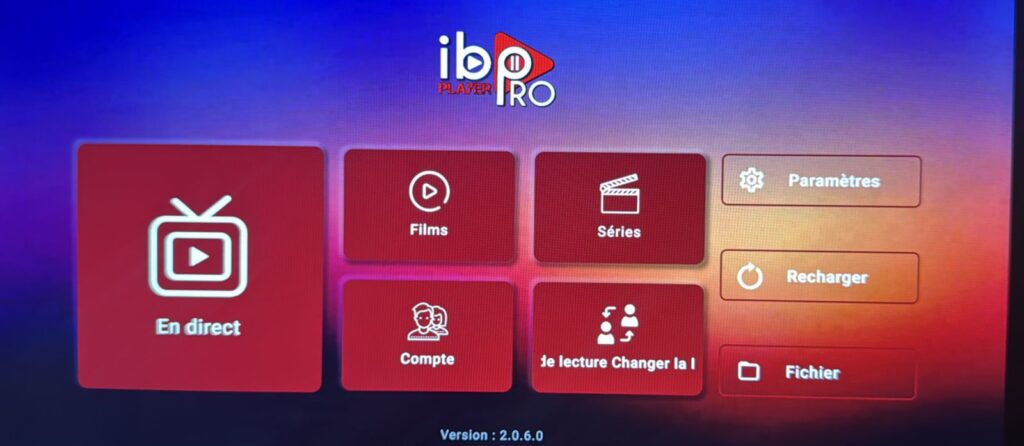
Activation troubleshooting:
Payment processing delays: Activation may take 5-10 minutes during peak periods. Restart app if activation does not complete within 15 minutes.
Failed activation attempts: Verify internet connection is stable, ensure Google Play/App Store payment methods are current, and confirm device ID was entered correctly for manual activation.
Multiple device management: Each device requires separate activation. Family sharing on Apple platforms may allow shared purchases across household devices depending on region.
Step 6: Optimize IBO Player Pro Settings for Performance
After successful ibo player pro activation, optimize settings to ensure smooth playback and enhanced usability. These configurations significantly impact streaming quality and user experience.
Video player settings:
- Navigate to Settings > Player Settings
- Decoder Selection:
- Hardware Decoder (recommended for modern devices)
- Software Decoder (for older devices)
- External Player (VLC, MX Player compatibility)
- Buffer Size:
- Small (fast connections, 50+ Mbps)
- Medium (standard connections, 25-50 Mbps)
- Large (slower connections, 10-25 Mbps)
- Resolution Priority:
- Auto (adaptive quality based on connection)
- Force 4K (for premium streams with 50+ Mbps)
- Force 1080p (balanced quality and stability)
- Force 720p (data-conscious streaming)
Interface customization:
- Theme: Light, Dark, or Custom color schemes
- Layout: Grid view or List view for channel display
- Thumbnail Size: Small, Medium, or Large preview images
- Language: Select preferred menu language
Parental control configuration:
- Enable Parental Controls in Settings
- Create 4-digit PIN code
- Mark adult content categories
- Choose whether to hide or require PIN for restricted content
- Set viewing time restrictions if desired
Favorite channel organization:
- Create multiple favorite groups (Sports, News, Movies, Kids)
- Long-press channels to add to favorites
- Reorder favorites by dragging
- Quick access via dedicated Favorites section
Performance optimization tips:
- Clear app cache weekly (Settings > Storage > Clear Cache)
- Limit active playlists to 2-3 for faster navigation
- Update EPG data during off-peak hours
- Close background apps consuming bandwidth
Step 7: Verify Activation and Test Functionality
Final verification ensures your ibo player pro activation completed successfully and all features function as expected.
Activation status confirmation:
- Open IBO Player Pro
- Navigate to Settings > About
- Verify “Device Status” displays “Activated”
- Confirm activation date and expiration (perpetual for one-time activation)
- Note device ID for future reference
Comprehensive functionality testing:
Live TV playback test:
- Select 3-5 channels from different categories
- Verify playback begins within 3-10 seconds
- Check video quality matches resolution settings
- Confirm audio synchronization
- Test rapid channel switching responsiveness
EPG functionality check:
- Open electronic program guide
- Verify current programming displays correctly
- Confirm time accuracy matches your timezone
- Test past program information (if catch-up available)
- Schedule future program reminders
VOD content verification:
- Access Movies section (if provided in playlist)
- Select various titles to verify loading
- Test resume functionality for partially watched content
- Confirm series episode organization
Multi-device synchronization test:
If you have activated IBO Player Pro on multiple devices:
- Add same playlists across devices
- Create favorites on device 1
- Verify favorites sync to device 2
- Test simultaneous streaming within provider limits
Common post-activation issues:
Channels still not loading: Verify playlist URL remains valid by testing in web browser. Contact IPTV provider if URL no longer functions.
EPG data missing: Re-enter EPG URL in settings and force manual update. Some providers experience temporary EPG server outages.
Activation status reverted to trial: Clear app data, reinstall IBO Player Pro, and restore purchase through Play Store/App Store purchase history.
Making the Most of Your Activated IBO Player Pro
With activation complete, explore advanced features that enhance your streaming experience beyond basic playback.
Multi-screen functionality:
Some devices support picture-in-picture, allowing:
- Watch one channel while browsing others
- Monitor sports scores while watching movies
- Keep news visible while using other apps
Playlist refresh and maintenance:
- Update playlists weekly to catch new channel additions
- Remove inactive channels to reduce clutter
- Test alternate server URLs during provider maintenance
Backup and restore:
Export favorite lists and settings:
- Settings > Backup/Export
- Save configuration file to cloud storage
- Restore on new devices or after reinstallation
Staying current:
Monitor app updates through device app stores. IBO Player Pro receives periodic updates adding features like:
- Enhanced codec support
- Improved EPG rendering
- Interface refinements
- Performance optimizations
Frequently Asked Questions
How much does IBO Player Pro activation cost?
Activation fees vary by platform and region but typically range from $5-15 as a one-time payment per device. Google Play and Apple App Store handle pricing in local currency. Once activated, the device has perpetual access without recurring subscription fees. However, IPTV service costs are separate—IBO Player Pro activation covers only the player application, not content subscriptions.
Can I transfer my IBO Player Pro activation to a new device?
No, activations are device-specific and non-transferable. If you purchase a new phone, tablet, or TV, you must activate IBO Player Pro separately on that device. Some platforms offer family sharing (Apple) or household account sharing (Google Play Family Library) that may reduce costs for multiple devices within a household, though availability varies by region and platform policies.
What happens if I do not activate before trial expiration?
After the 7-day trial expires, IBO Player Pro restricts functionality until activation. You retain access to settings and playlist management but cannot play any content. Your configured playlists, favorites, and settings remain saved. Activating after expiration immediately restores full functionality without losing any configurations.
Does IBO Player Pro activation include IPTV content?
No, ibo player pro activation covers only the media player application. The player does not provide, include, or sell content, channels, movies, or streams. You must obtain M3U playlists from legitimate IPTV service providers separately. Think of IBO Player Pro like a television set—activation lets you use the hardware, but you still need content sources (cable, satellite, streaming service) to watch programming.
Can I get a refund if IBO Player Pro does not work for me?
Refund policies depend on the payment platform. Google Play typically offers 2-hour refund windows for in-app purchases, while Apple provides case-by-case refund evaluation. This is why the 7-day trial is crucial—thoroughly test all functionality during trial before activating. If technical issues prevent proper function after activation, contact the payment platform’s support rather than the app developer for refund requests, as they control transaction processing.
Conclusion
Successfully completing your ibo player pro activation following these 7 comprehensive steps ensures you have properly licensed the application and configured it for optimal performance. The time invested in correct initial setup, from downloading authentic sources through final activation verification, pays significant dividends through reliable playback and access to all premium features.
Remember that IBO Player Pro functions as a media player only—your viewing experience depends equally on player configuration and selecting a quality IPTV provider offering stable streams, comprehensive channel selections, and reliable server infrastructure. Take advantage of the 7-day trial to thoroughly evaluate whether the player meets your specific needs before committing to activation payment.
As you become comfortable with basic functionality, explore advanced features like multi-screen viewing, extensive favorite organization, and parental controls that transform IBO Player Pro from a simple player into a comprehensive home entertainment management system. Regular maintenance through cache clearing, playlist updates, and app version monitoring ensures continued peak performance.
Make informed decisions by researching IPTV providers based on content licensing legitimacy rather than simply channel counts or promotional pricing. For detailed guidance on selecting services that combine technical excellence with legal compliance, explore comprehensive provider evaluation guides that assess options through real-world testing and user satisfaction analysis.
Start your premium streaming journey today with confidence, knowing you have properly activated IBO Player Pro and configured it to deliver the quality, reliability, and feature richness your entertainment deserves.