
Streaming Insights
Best IPTV Players in 2026 — Full Comparison for All Devices
Choosing the best IPTV player is the decision that determines whether your premium subscription delivers a polished, cable-like experience or a frustrating parade of buffering wheels and broken interfaces. The player is the layer between your subscription credentials and what you actually see on screen — and it matters far more than most guides acknowledge. IPTV Smarters Pro is the app most people encounter first, and for good reason: it’s versatile, widely compatible, and works on nearly every platform. But it is not necessarily the right choice for every viewer or every device.
In 2026, the IPTV player landscape has matured considerably. Several applications have separated themselves from the pack through genuine engineering quality, thoughtful interface design, and reliable performance on the devices where people actually watch TV. This comparison cuts through the noise to give you an honest, device-specific breakdown of which players deserve your attention, which are overrated, and how to match the right app to your specific setup.
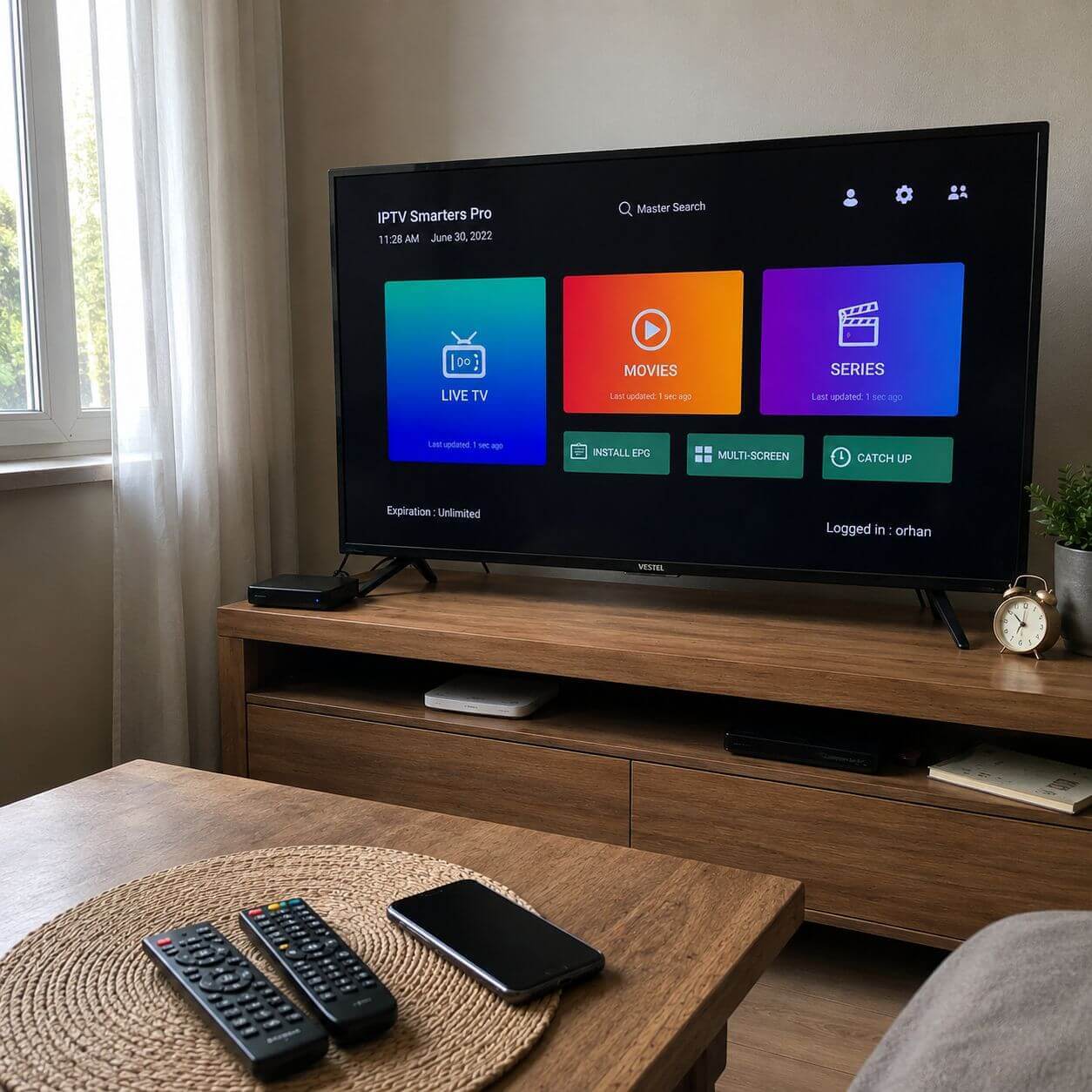
What Actually Matters in an IPTV Player
Most comparisons focus on feature lists. A feature list tells you what an app can do — it says nothing about how well it does those things under real-world conditions. The criteria that separate genuinely good IPTV players from mediocre ones are more nuanced.
Playback engine quality
The video decoder inside the player determines how your device handles the incoming stream. A player with a poorly optimized decoder will buffer on streams that another player handles flawlessly on the same connection, with the same subscription. Hardware acceleration support — which delegates video decoding to the device’s GPU rather than the CPU — is non-negotiable for 4K content and makes a significant difference on HD streams too.
EPG implementation
The Electronic Program Guide is what separates an IPTV player from a simple channel list viewer. A well-implemented EPG loads quickly, displays accurate program information from your provider’s XMLTV data, and lets you browse upcoming schedules without leaving the player. A poorly implemented one crashes, shows wrong times, or simply refuses to display data that other apps handle without issue.
Interface design philosophy
This is where platform matters enormously. An interface designed for touchscreens is actively uncomfortable on a TV remote. An interface optimized for a 10-foot display looks cluttered and overwhelming on a 6-inch phone screen. The best players in 2026 are purpose-built for specific form factors rather than generic cross-platform ports.
Reliability under load
Any player can stream a single HD channel on a quiet Tuesday morning. The real test is whether it stays stable during a live sports event with 30,000 simultaneous viewers taxing the same server infrastructure, on a Friday evening when your home network is busier than usual. This is where player-level buffering management and connection resilience matter.
The 6 Best IPTV Players in 2026 — Detailed Reviews
1
Android TV
Fire Stick
Android Box
TiviMate has earned its reputation as the gold standard for IPTV on living room devices. Its EPG grid interface replicates the visual language of a cable TV guide — something users transition from traditional pay-TV immediately recognize and feel comfortable with. The channel switching speed is genuinely faster than most competitors, and the playback engine handles both hardware and software decoding modes intelligently based on the stream type.
Strengths
- EPG grid that matches cable TV guide quality
- Fastest channel switching of any tested player
- Recording and catch-up TV (Premium version)
- Multiple playlist management
- Highly customizable interface panels
Limitations
- Android only — no iOS, no PC native version
- Best features locked behind Premium (~$5/year)
- Fire Stick requires sideloading in some regions
Best for: Anyone with an Android TV box or Fire Stick who wants the closest experience to traditional cable TV with a proper program guide.
2
Android
iOS
Android TV
PC
Fire Stick
IPTV Smarters Pro’s defining advantage is its breadth of platform support. It runs on Android, iOS, Android TV, Amazon Fire TV, and desktop environments — which means a household can standardize on a single app across every device. The Xtream Codes API integration is excellent, providing clean separation between live TV, VOD, and series sections. It’s the most common recommendation for new IPTV users precisely because it works reliably on whatever device they happen to own.
Strengths
- Runs natively on iOS — unique among major players
- Clean Xtream Codes and M3U integration
- Available on Google Play Store and Apple App Store
- Good VOD and series organization
- Parental controls and multiple user profiles
Limitations
- Interface not optimized for TV remote navigation
- EPG less polished than TiviMate on large screens
- Some ads in the free version
Best for: Mixed households with a combination of Android, iPhone, iPad, and TV devices that need one consistent app across all platforms.
3
Android TV
Fire Stick
Android
IBO Player Pro has positioned itself as the most approachable IPTV player for people who are not technically inclined. The activation process is genuinely guided rather than assumed, and the interface stays out of the way once configured. Playback stability is strong on standard HD streams. For anyone who has struggled with overly complex IPTV setup flows, IBO Player Pro removes most of those friction points. A dedicated activation guide for IBO Player Pro covers the complete setup from scratch.
Strengths
- Simplest guided activation of any tested player
- Clean TV-optimized interface with remote navigation
- Stable playback on HD streams
- VOD and live TV well organized
Limitations
- Less feature depth than TiviMate at advanced level
- EPG configuration less flexible
- Not on iOS
Best for: First-time IPTV users on Android TV or Fire Stick who want a clean, simple setup experience without a learning curve.
4
iOS
iPadOS
Android
macOS
On iOS and iPadOS, the IPTV player market is significantly more constrained than Android. GSE Smart IPTV has consistently been the most reliable option for Apple device users, with a reasonably clean interface, solid M3U and Xtream Codes support, and performance that holds up well on iPhone and iPad. The macOS version extends coverage to Apple desktop users. It is not the most elegant application, but it is dependable where few alternatives exist.
Strengths
- One of the few reliable iOS IPTV players
- Works on iPhone, iPad, and Mac
- Supports both M3U and Xtream Codes
- External player integration (VLC, Infuse)
Limitations
- Interface feels dated compared to Android alternatives
- Requires paid version for full feature access on iOS
- EPG less sophisticated than TiviMate
Best for: iPhone and iPad users who need a reliable IPTV player where native Android options are unavailable.
5
Windows
macOS
Linux
Android
iOS
VLC is not an IPTV player in the dedicated sense — it is a universal media player that also handles IPTV streams via M3U playlists. What it offers is unmatched codec support and a zero-cost, zero-account, zero-subscription model that appeals to technically confident users. According to Wikipedia, VLC has been downloaded over 5 billion times and supports virtually every video format in existence. For PC users who want to test an IPTV subscription without installing a dedicated app, or for Linux users with limited alternatives, VLC is the logical choice.
Strengths
- Free, open-source, no account required
- Runs on every major operating system
- Unmatched codec and format compatibility
- Lightweight with low system resource usage
Limitations
- No EPG — purely a stream player
- No channel organization or favorites system
- Not designed for IPTV — requires manual M3U setup
Best for: PC and Linux users who want to test a stream quickly, or technically confident viewers who manage their own playlist files.
6
Windows
Android
macOS
Linux
Raspberry Pi
Kodi is a media center platform rather than a dedicated IPTV player. With the PVR IPTV Simple Client add-on, it becomes a capable IPTV solution with full EPG support, recording capabilities, and a library-style interface. The flexibility is extraordinary — Kodi can be configured to look and behave in ways no dedicated IPTV app allows. The trade-off is a setup process that demands significantly more time and technical knowledge than any other option on this list.
Strengths
- Fully open and infinitely customizable
- Excellent on dedicated media PC or Raspberry Pi
- Full PVR and recording functionality
- Large active community with extensive documentation
Limitations
- Setup complexity is substantially higher than dedicated players
- Requires add-on configuration to work with IPTV
- Not suitable for non-technical users
Best for: Technical users building a dedicated home media server who want maximum control over every aspect of the playback experience.
Side-by-Side Comparison Table
| Player | iOS | Android TV | Fire Stick | PC | EPG Quality | Free Version | Best For |
|---|---|---|---|---|---|---|---|
| TiviMate | ✗ | ✓ | ✓ | ✗ | ★★★★★ | Limited | TV / Big screen |
| IPTV Smarters Pro | ✓ | ✓ | ✓ | ✓ | ★★★☆☆ | Yes | Multi-device |
| IBO Player Pro | ✗ | ✓ | ✓ | ✗ | ★★★☆☆ | Yes | Beginners |
| GSE Smart IPTV | ✓ | ✗ | ✗ | ✓ (Mac) | ★★☆☆☆ | Partial | iOS users |
| VLC | ✓ | ✓ | ✗ | ✓ | None | Yes | PC / Testing |
| Kodi | ✗ | ✓ | ✗ | ✓ | ★★★★☆ | Yes | Power users |
Best IPTV Player by Device Type
The single most useful piece of advice in any IPTV player comparison is this: match the player to the device, not the other way around. The best player in the world on the wrong platform delivers a worse experience than a second-tier player purpose-built for that device.
Android TV Box
TiviMate (Premium) is the clear choice. Remote-optimized interface, best EPG, fastest channel switching.
Amazon Fire Stick
TiviMate or IBO Player Pro. Both require sideloading in some regions but deliver TV-native experiences.
Android Phone/Tablet
IPTV Smarters Pro. Touchscreen-optimized interface, clean VOD browsing, solid EPG for mobile use.
iPhone / iPad
GSE Smart IPTV or IPTV Smarters Pro. Both available on the App Store with Xtream Codes support.
Windows / Mac
IPTV Smarters Pro (web/desktop), VLC for quick testing, or Kodi for a full media center build.
Linux
VLC or Kodi. Both are open-source, run natively on Linux, and handle M3U playlists reliably.
Smart TV note (Samsung Tizen / LG webOS): Neither platform natively supports dedicated IPTV players via their app stores in 2026. The recommended solution remains connecting an Android TV box or Fire Stick via HDMI. For Smart TV-specific setup options, the Fire Stick streaming setup guide covers the most practical path for television integration.
How to Set Up Any IPTV Player in 7 Steps
Regardless of which player you choose, the fundamental setup process follows the same structure. These seven steps apply universally — the specific menu names vary by app, but the flow is consistent across all of the players listed above.
-
1Gather your subscription credentials before opening the app
Your IPTV provider sends credentials after purchase: a server URL with port (Xtream Codes format) plus username and password, or a direct M3U URL. Have these ready before installation — attempting to set up without them wastes time and creates confusion. If you need a reliable service to connect to, the complete live TV channel list at livetvaccess.com shows exactly what content is available before you commit.
-
2Download the player from the appropriate official store
Use the Google Play Store for Android and Android TV devices, the Apple App Store for iOS and macOS. For Fire Stick, check the Amazon Appstore first — if the app is unavailable in your region, enable Developer Options and use the Downloader app to install the APK. Always verify the developer name to avoid lookalike apps designed to harvest credentials.
-
3Open the app and navigate to playlist or account settings
Every IPTV player has a first-launch state that shows an empty interface — this is normal. Navigate to the settings or configuration section (gear icon, menu button, or settings tab depending on the app) before trying to browse any content. Do not assume the app has any built-in channels — it is purely a player that requires your subscription to function.
-
4Select Xtream Codes or M3U connection method
Choose Xtream Codes API if your provider gave you a server URL, username, and password as separate fields. Choose M3U URL if you received a single playlist link. Xtream Codes is the preferred method — it provides structured access to live TV, VOD, and series as separate categories, supports catch-up TV, and gives the app better metadata for EPG matching.
-
5Enter credentials carefully — copy/paste rather than type
Server URLs including port numbers (example: http://server.com:8080), usernames, and passwords are all case-sensitive. A single wrong character produces a connection failure that looks identical to a server outage. Copy and paste directly from your provider’s email whenever possible. If you must type manually, double-check the port number and any special characters in the password field.
-
6Wait for the full playlist load before testing channels
After submitting credentials, the app downloads your channel list and VOD catalog from the server. Depending on subscription size and connection speed, this takes 30 seconds to 3 minutes. Do not interrupt this process. A partial load produces missing categories or channel gaps that appear to be a provider problem when they are actually a load interruption. Wait for the progress indicator to complete fully.
-
7Configure EPG, add favorites, and test across multiple channels
Enter your provider’s XMLTV URL in the EPG settings field to enable the program guide. Add frequently-watched channels to favorites for quick access. Then test at minimum five channels across different categories — one live sports channel, one news channel, one movie channel — to confirm playback quality across different stream types before considering setup complete. The detailed setup guide at livetvaccess.com covers device-specific configuration beyond these fundamentals.
Optimization Tips for Any Player
Hardware decoding is not always better
Most guides tell you to enable hardware (HW+) decoding without qualification. The reality is more nuanced. Hardware decoding is faster and uses less CPU on most modern devices — but certain stream types and certain device/codec combinations perform worse with hardware decoding than software. If you experience visual artifacts, green screens, or stuttering on specific channels, switch to software decoding (SW) for those streams. TiviMate, IPTV Smarters Pro, and IBO Player Pro all let you configure this per-stream or globally.
Buffer size calibration
Increasing the playback buffer from the default to 10–15 seconds absorbs network fluctuations that would otherwise interrupt playback. This adds a small delay before channels start playing but eliminates most micro-buffering events during playback. On fiber connections, keep the buffer at 5 seconds. On variable Wi-Fi or slower connections, 10–15 seconds is the right range.
EPG sync scheduling
Set your EPG to auto-sync overnight (2–5 AM local time) rather than on-demand or continuously. This prevents the EPG update process from competing with active streaming bandwidth during evening viewing hours when your connection may already be under load from multiple devices.
Playlist refresh frequency
IPTV providers update channel stream URLs regularly. A playlist that loaded correctly last week may contain broken stream links this week if you have not refreshed. Set your playlist to auto-refresh weekly. After any provider maintenance window, force a manual refresh before assuming channels are broken.
Contrarian insight: The most common IPTV problem is not buffering — it is user error in setup that creates symptoms resembling buffering. An incorrectly configured EPG timezone offset looks like program guide failure. A cached stale playlist looks like channels going offline. Hardware decoding incompatibility looks like a bad stream. Before concluding your provider has quality issues, eliminate app configuration as the cause by resetting to defaults and reconfiguring from scratch.
Real-World Usage Scenarios
The family cord-cutter replacing cable
A household transitioning from a cable subscription to IPTV benefits most from TiviMate on an Android TV box. The cable-style EPG grid means every family member recognizes the interface immediately. The organized channel groups replace the familiar cable tier structure. Recording capability in TiviMate Premium means live TV can still be captured for watching later — replicating the DVR functionality most cable subscribers rely on heavily. The transition feels evolutionary rather than disruptive.
The mobile viewer who watches everywhere
For someone who watches live TV primarily on their phone during commutes, on a tablet during travel, and on a TV at home, IPTV Smarters Pro is the only app that covers all three scenarios with a single installation. The same credentials work across Android, iOS, and Android TV without needing separate apps for different devices. Common setup mistakes in this scenario — and how to avoid them — are covered in detail at livetvaccess.com’s guide to common live TV service mistakes.
The technical user building a media server
A home lab enthusiast running a dedicated media server on a repurposed PC or Raspberry Pi gets the most out of Kodi with PVR IPTV Simple Client. The combination provides full DVR functionality, a library-style interface, integration with local media files, and compatibility with home automation systems. The setup investment is significant but produces a genuinely custom media center that no off-the-shelf solution can match.
Ready to pair your chosen player with a reliable live TV subscription?
Browse the full channel catalog and find a plan that works across every device and player you use.
View Channel List See Pricing PlansFrequently Asked Questions About IPTV Players
What is the best IPTV player overall in 2026? +
For Android TV boxes and Fire Stick devices used on a television, TiviMate is the best overall IPTV player in 2026 based on EPG quality, channel switching speed, playback stability, and interface design. For multi-device households that include iOS devices, IPTV Smarters Pro is the better choice due to its cross-platform availability. The correct answer depends on your primary device — there is no universally best player across all platforms.
Are IPTV players free to use? +
Most IPTV players offer a free version with limited features and a paid upgrade for full functionality. TiviMate’s free version is functional but restricts multi-playlist support, recording, and catch-up TV — its Premium upgrade costs approximately $5 per year, which is the best value upgrade in the category. IPTV Smarters Pro, IBO Player Pro, and VLC are free to download and use. GSE Smart IPTV charges for its iOS version beyond basic features. None of the players include content — a separate IPTV subscription is always required.
Can I use an IPTV player without a subscription? +
No. IPTV players are precisely that — players. They are designed to connect to an external IPTV service using credentials your provider supplies. Without valid subscription credentials (Xtream Codes login or M3U URL), every player on this list shows an empty interface with no channels. The app and the subscription are separate components that must be combined for the service to work.
Does the IPTV player affect streaming quality? +
Yes, meaningfully. The player’s video decoder, buffering management, and network handling all affect the quality of what you see on screen. Two players connected to the same subscription on the same network can deliver noticeably different experiences — one buffering where the other plays cleanly, or one displaying color banding where another renders the image correctly. Hardware decoding support, buffer size configuration, and playlist caching all contribute to quality differences between players on identical streams.
Which IPTV player works on iPhone and iPad? +
IPTV Smarters Pro and GSE Smart IPTV are the primary options for iOS and iPadOS. Both support Xtream Codes and M3U connections and are available on the Apple App Store. IPTV Smarters Pro has a more polished interface and broader compatibility with different subscription formats. GSE Smart IPTV is a solid alternative with external player integration for users who prefer Infuse or VLC for actual playback. TiviMate, IBO Player Pro, and Kodi do not have native iOS versions.
How do I fix buffering in my IPTV player? +
Start by isolating the cause before changing player settings. Test the same stream on a different IPTV player — if it buffers on both, the issue is your connection or the provider’s server, not the app. If one player buffers and another does not, try switching the video decoder (hardware vs software) and increasing the buffer size to 10–15 seconds in the player settings. On Wi-Fi, move closer to the router or switch to a wired Ethernet connection. If buffering only occurs during peak hours (evenings, weekends), the issue is likely server-side load at your provider rather than anything configurable on your end.
Conclusion
The best IPTV players in 2026 are genuinely excellent pieces of software — and the field has never been more competitive. TiviMate leads for television viewing, IPTV Smarters Pro leads for cross-platform flexibility, IBO Player Pro leads for accessibility, and GSE Smart IPTV fills the iOS gap that most Android-centric apps leave open. Each earns its position for specific, real reasons rather than marketing reputation.
The decision framework is straightforward: identify your primary viewing device, choose the player purpose-built for that platform, pair it with a subscription that delivers the channels and content you actually watch, and spend fifteen minutes on proper initial configuration. Done correctly, the experience rivals — and often surpasses — traditional cable television at a fraction of the monthly cost.
What separates a good IPTV experience from a frustrating one is rarely the subscription itself. It is almost always the combination of the right player, correctly configured, on hardware suited to the task, with a reliable network connection underneath it all.
💬 Leave a Comment
Your email address will not be published. Required fields are marked *